
Counter Strike 2 Hacks for Windows
Aimbot controls cover smoothness, bone priority, and FOV. Recoil control and bomb information use separate tabs. Confirm the CS2 build and VAC status on hackscs2.net before you launch.
Product Overview
At a glance
Key capabilities
The short list for Counter-Strike 2 Hacks, before the full module list.
Another 9 options are in the full list below.
Overview
Counter-Strike 2 hack suite
How the listed modules and the status banner fit a Counter-Strike 2 match.
Counter-Strike 2 Hacks groups aimbot with smoothing, bone priority, and FOV caps. ESP adds boxes, skeleton lines, health readouts, and distance labels. Recoil control, bomb information, and streamproof capture sit on their own tabs.
After a CS2 or VAC update, confirm the client build and read the banner on hackscs2.net before you launch.
Each menu switch covers one module: aimbot, ESP, skeleton overlay, health indicators, recoil control, bomb information, or streamproof capture.
Configuration and support
The menu turns each option on or off and shows the settings that option has. Setup notes ship in the portal. A patch can change which settings remain.
Checkout and delivery
The checkout page confirms the available access options. The portal provides delivery instructions after purchase. Read the status banner before a session.
Updates and compatibility
Compatibility can shift after a Counter-Strike 2 update or a VAC change. Check the game version and the banner on hackscs2.net before you launch.
Modules
What's included
The full option list for Counter-Strike 2 Hacks. Each line can be switched in the menu.
- Aimbot
- Aim smoothness
- Target bone priority
- Field of view limit
- Maximum targeting distance
- ESP
- Skeleton overlay
- Enemy position
- Health indicators
- Distance
- Recoil control
- Bomb information
- Streamproof capture
- Menu toggles for each module
Experience
Menu layers · After checkout
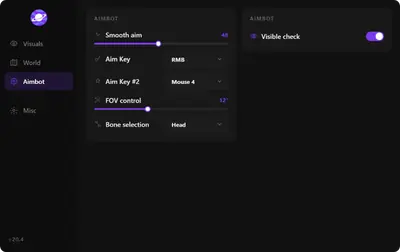
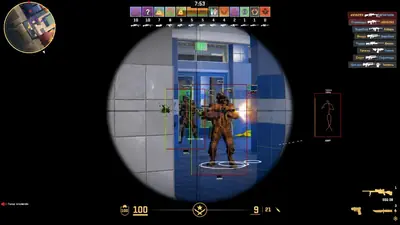
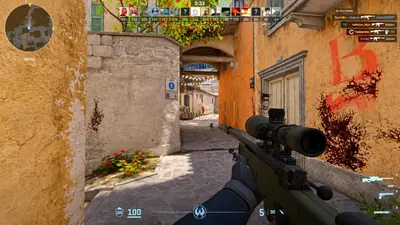
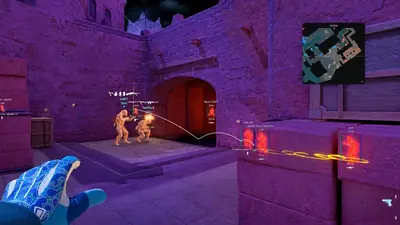
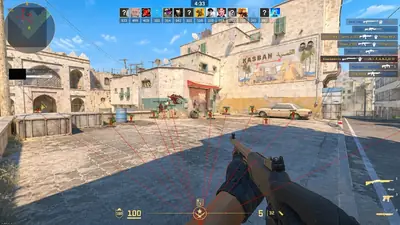
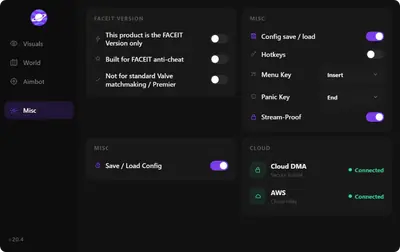
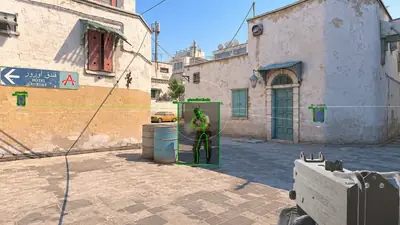
The shots above are the Counter-Strike 2 menu. The notes below say what each group does, and how the portal opens after checkout.
In-game layers
- Layer A
Aimbot menu
Smooth aim, aim keys, bone selection, FOV control, and visible check on the aimbot tab.
- Layer B
Scoped overlays
AWP scope view with player boxes and labels on long-range targets.
- Layer C
Inferno banana
ESP boxes and snaplines during a retake through Inferno banana.
- Layer D
Mirage mid
Player overlays during a Mirage mid duel with health and weapon hints.
More products
Pairs well with
Utilities sold beside the hack. Each one keeps a separate page.
- HWID Spoofer After a hardware flag, this license rewrites disk serials. It also rewrites MAC addresses, GPU IDs, and related fingerprints. Trace cleanup is in the same license. View details: HWID Spoofer
- Cloud DMA Cloud DMA may require GREENWARD, Static Server and AWS as separate purchases. Check the full requirements and current price at checkout. View details: Cloud DMA
- Skin Changer A small client paints premium weapon skins on your screen. Outfits and knife variants are included, across the major titles it lists. View details: Skin Changer
FAQ
Questions about this page
Answers for this page. The FAQ page holds the rest.
Blog
Related guides
Filter by topic to find setup guides, feature deep-dives, and patch-day notes.
Video, audio, and launch options that keep Counter-Strike 2 responsive on Windows without giving up visibility.
Graphics presets, driver settings, and Windows toggles that raise average FPS and cut stutter in CS2.
Crosshair styles that stay visible on Dust II, Mirage, and dark bombsite angles without covering heads.
Convert edpi, test aim in Deathmatch, and keep one sensitivity across rifles, pistols, and AWP flicks.
Network, driver, and in-game fixes when CS2 stutters, spikes ping, or shows packet loss icons.
Buy zones, default guns, and safer first steps into Counter-Strike 2 casual, Deathmatch, and Premier.
Counter-Strike 2 community forum
Read discussion
Forum: Archived, read-only CS2 threads on loader setup, ESP and recoil configs, VAC notes, patch status, and HWID resets. Replies are closed.
- General Discussion honest question: what is the actual ban risk with cs2 hacks? A skeptical player asks for the honest ban risk, and the community explains why nothing is risk free and how settings and account choices matter.
- Status & Updates how fast do cs2 hacks update after a valve patch? A player asks whether the stated 2 to 4 hour update window is realistic, and replies explain where to check status and why patience helps.
- Features & Settings best esp settings for cs2? what to show and what to leave off Players argue about boxes vs skeletons, health bars and bomb info, and agree that less clutter is usually better.
- Setup & Troubleshooting cs2 hack system requirements: hvci, tpm, secure boot, do i turn them on or off? A user spots that the requirements box and the FAQ say different things about Secure Boot, and the thread explains the rest of the requirements and the safest way to get an answer.